Every AI score, backed by the exact moment it came from
PRODUCTO
5 minutos de lectura
Los momentos destacados de la entrevista de Clara AI convierten cada informe de candidato en una experiencia de audio navegable. Haga clic en cualquier evaluación de IA, salte al momento exacto de la entrevista y verifique la puntuación sin escuchar toda una llamada de 15 minutos.
Los momentos destacados de la entrevista de Clara AI añaden tres capas a cada informe de candidato:
una línea de tiempo con marcadores visuales que indican dónde ocurren los momentos clave
una barra lateral de momentos clave para una navegación rápida a través de la entrevista
un transcriptor interactivo completo que se mantiene en sincronía con el audio a medida que se reproduce.
Vea exactamente dónde ocurren los momentos clave antes de presionar play
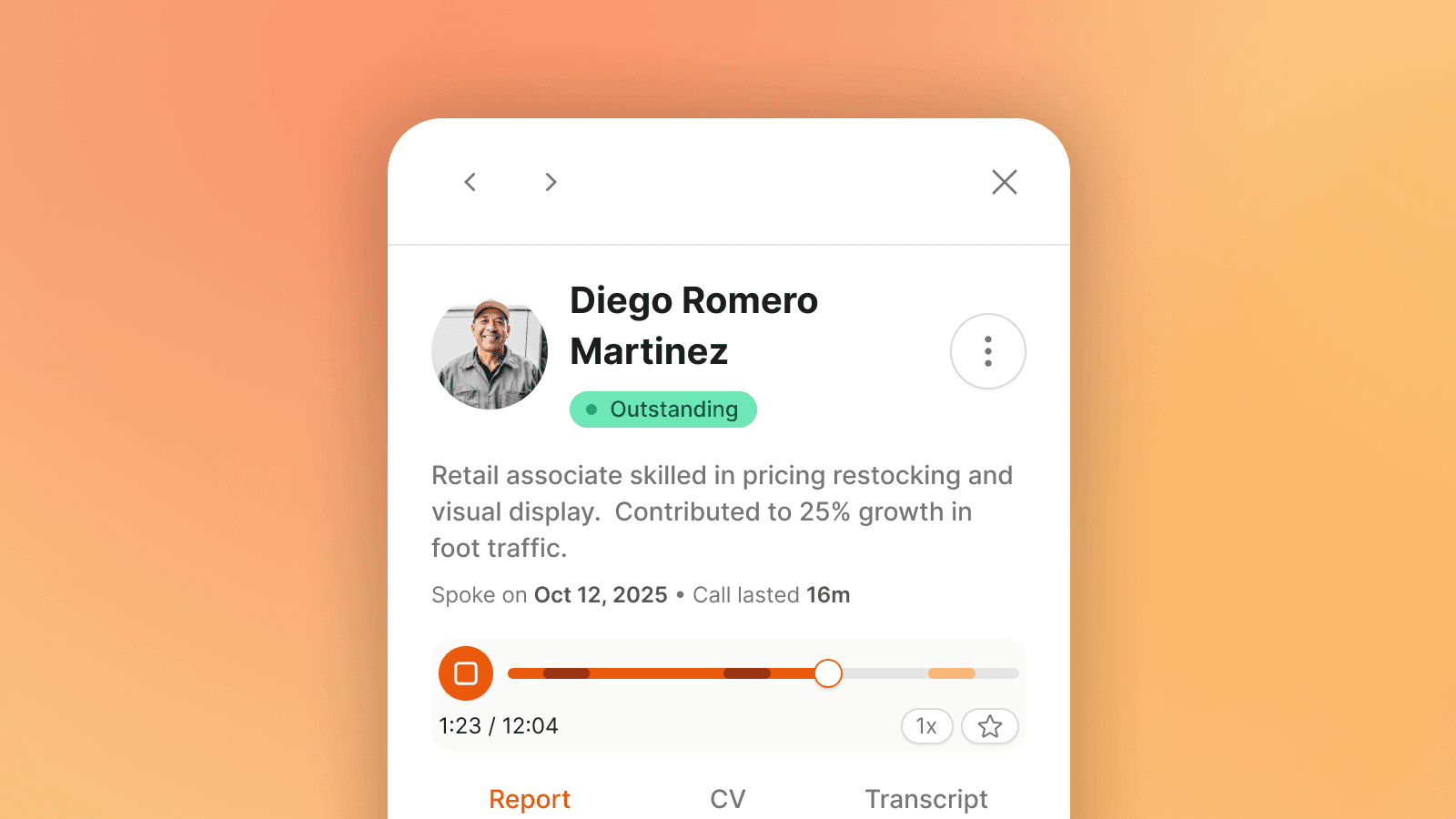
El reproductor de audio en la parte superior de cada informe de candidato ahora muestra una línea de tiempo con marcadores codificados por colores.
Cada marcador representa un punto donde se capturó un momento clave. Al pasar el mouse sobre cualquier marcador, aparece un tooltip que muestra el nombre del requisito, un fragmento de la respuesta del candidato y la marca de tiempo.
Haga clic en él, y el audio busca ese momento y se reproduce.
Los marcadores están coloreados por resultado: rojo para requisitos no cumplidos, verde para momentos fuertes, naranja donde algo necesita más atención.
Esto cambia la revisión de un ejercicio lineal (reproducirlo todo) a uno dirigido (ir a lo que importa). Para un reclutador con 20 perfiles que revisar en una tarde, esa diferencia es la diferencia entre atravesar el día y no hacerlo.
Salte entre momentos clave con un clic
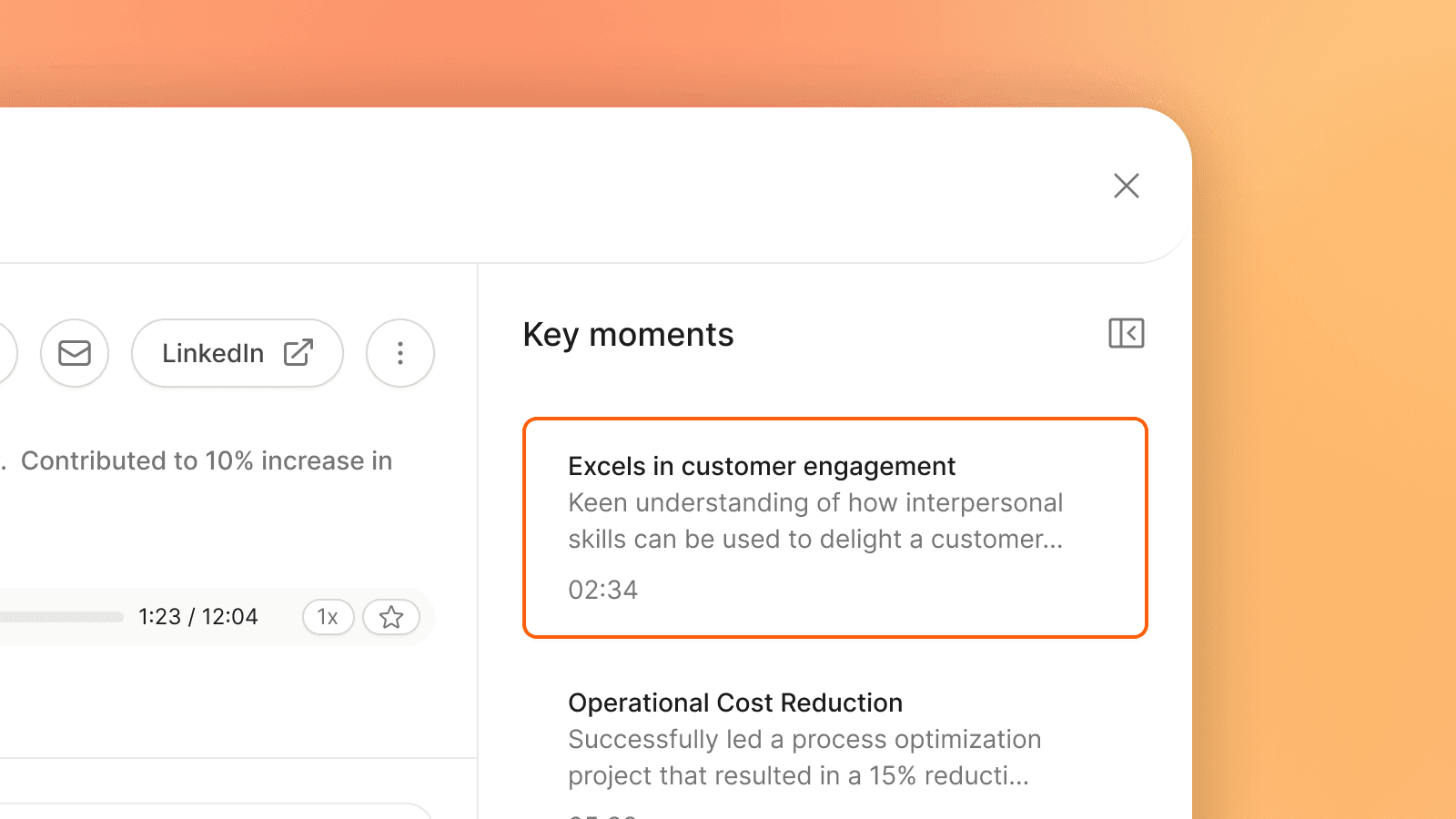
La barra lateral de momentos clave enumera cada segmento significativo de la entrevista en orden, cada uno con el requisito o habilidad que se está evaluando, una breve vista previa de lo que dijo el candidato y la marca de tiempo.
Haga clic en cualquier tarjeta y el audio se reproduce desde ese punto. Las tarjetas rastrean su progreso a medida que escucha, facilitando trabajar a través de los momentos uno por uno.
Para un rol con 6 o 7 criterios de evaluación, revisar los momentos relevantes generalmente toma menos de 5 minutos. Compárelo con el enfoque anterior: avanzar a través del audio, perder el momento, retroceder, escuchar de nuevo, anotar algo, continuar. El ahorro de tiempo no es marginal.
Lea y busque la transcripción completa
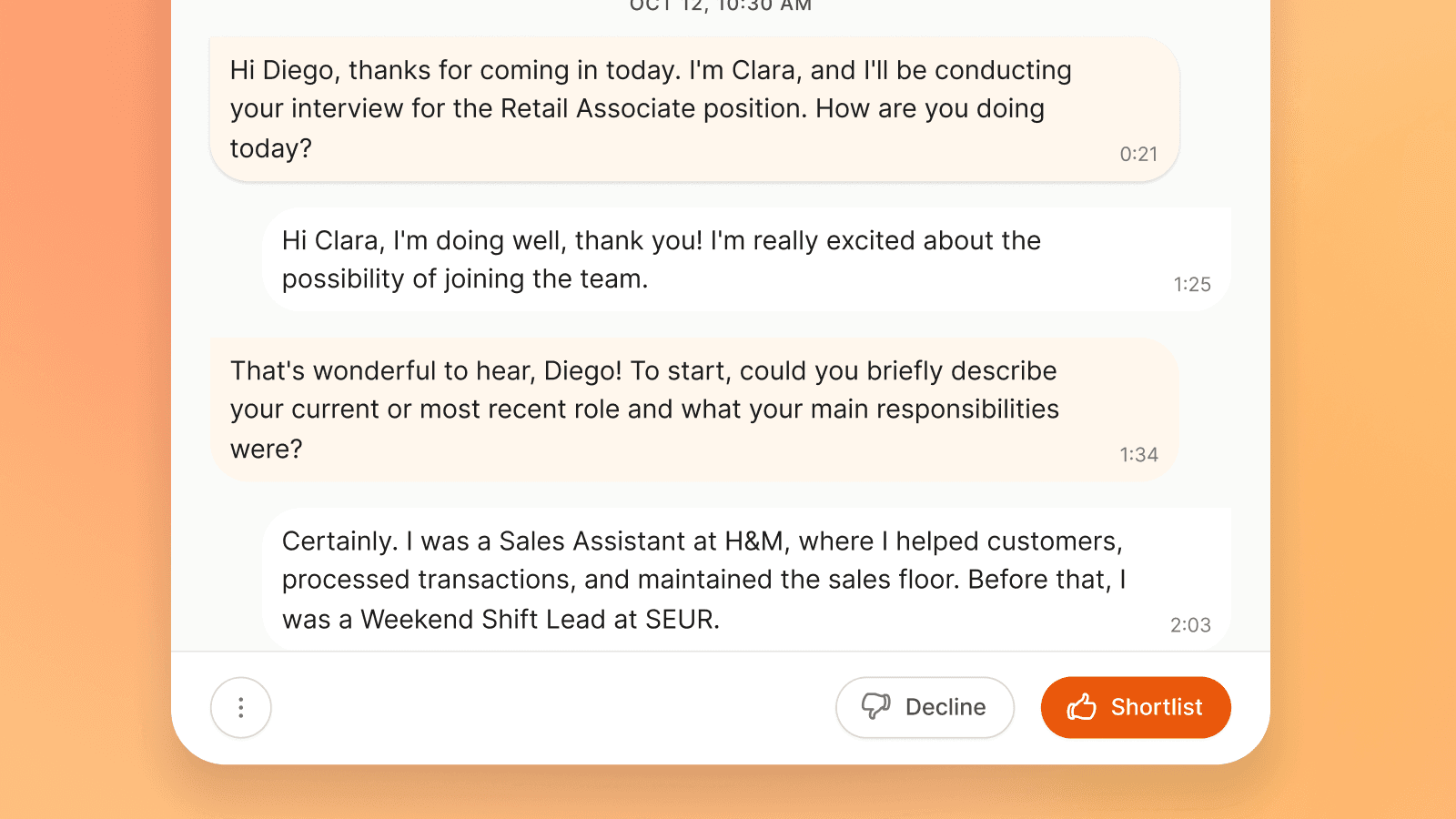
La pestaña de transcripción muestra la entrevista completa en un formato estilo chat: las preguntas de Clara AI a la izquierda, las respuestas del candidato a la derecha. Cada burbuja es clickeable. Haga clic en cualquier línea y el audio se reproduce desde ese punto.
Cuando el audio se reproduce desde el reproductor superior, la transcripción se desplaza automáticamente y resalta la burbuja que se está hablando actualmente. Puede leer y escuchar al mismo tiempo, o buscar una palabra específica y saltar directamente a ese momento. Si un candidato mencionó el nombre de una empresa que desea verificar, puede encontrarlo en segundos en lugar de por oído.
La transcripción también se puede exportar como un archivo de texto, que algunos equipos de contratación utilizan para compartir el contexto del candidato con los gerentes de contratación sin requerirles que inicien sesión en la plataforma.
Por qué la verificabilidad cambia cómo los reclutadores utilizan la puntuación de IA
La preocupación más común con las entrevistas dirigidas por IA no es la velocidad. Es la precisión. Cuando Clara AI clasifica a un candidato como No adecuado en un criterio crítico, un reclutador necesita entender por qué. Una puntuación sin evidencia es una opinión. La evidencia sin una forma rápida de acceder a ella es casi tan poco útil.
Las entrevistas de Clara AI, evalúan y exponen evidencia. El reclutador la revisa y decide. Los Momentos Destacados de la Entrevista hacen que esa revisión sea más rápida, más enfocada y más fácil de defender cuando se necesita explicar una decisión de contratación.
Evaluación
Explore more articles

SABER MÁS
¿Preparado para contratar al mejor talento, más rápido?
Clara es fácil de configurar y aún más rápida a la hora de contratar.