
Know exactly where your hiring funnel is leaking, in real time
PRODUCT
3 min read
Clara AI's performance dashboard is a live analytics page built into the recruiter interface. It tracks candidate movement across every stage of the hiring funnel.
The dashboard surfaces four metrics:
pipeline progression
pipeline activity over time
candidate quality trends
rejection reasons
Most hiring teams know how many candidates applied.
What they struggle to answer is where those candidates stopped progressing, why they were rejected, and whether candidate quality is improving or declining.
The performance dashboard is where that visibility lives.
Know exactly where your funnel is leaking
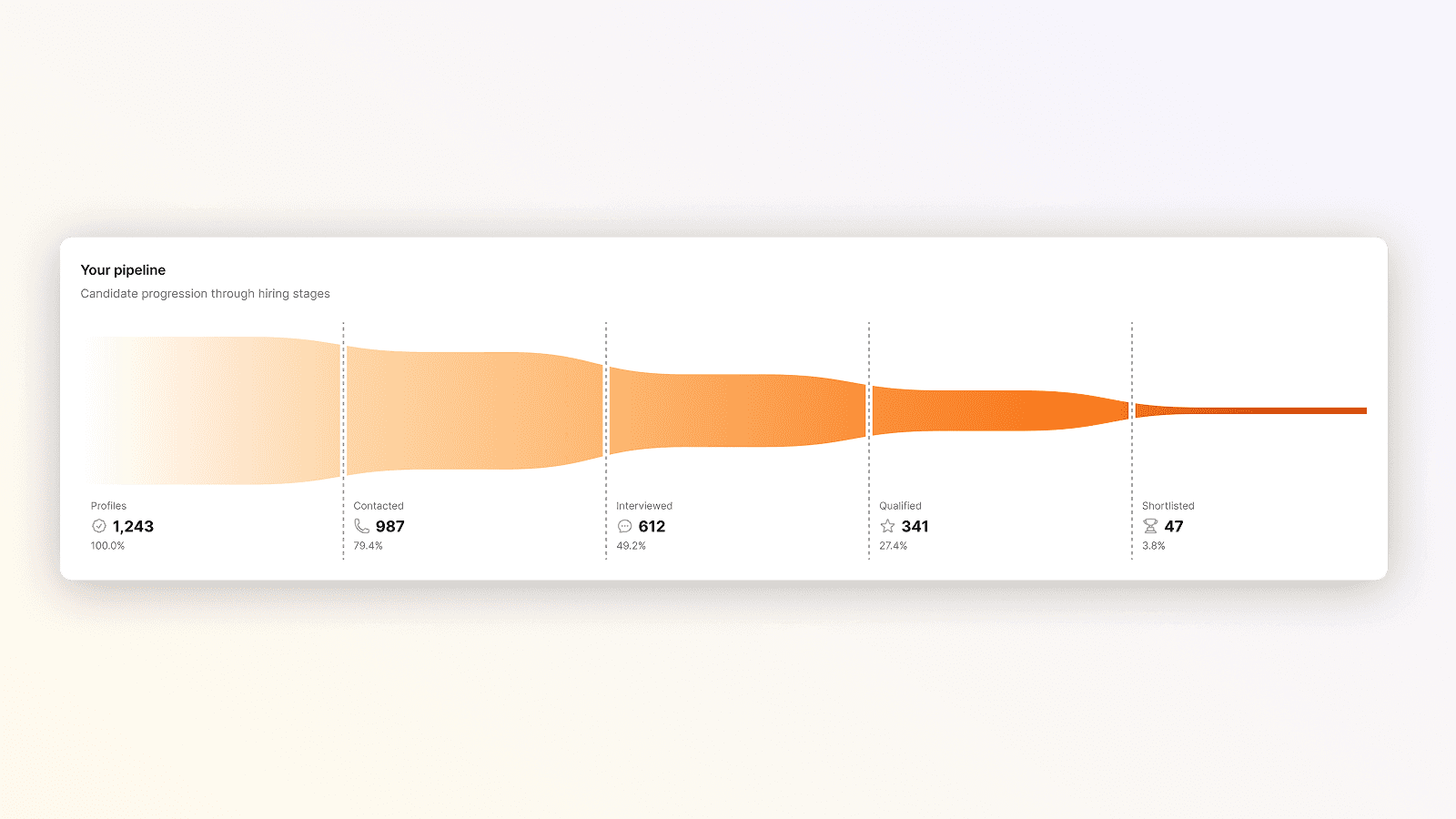
Pipeline progression shows candidate volume at each stage as a horizontal funnel: Profiles, Contacted, Interviewed, Qualified, and Shortlisted.
Each stage displays the count and its percentage relative to total profiles.
If 83 candidates were screened but only 24 completed an AI phone interview (29%), the gap between Contacted and Interviewed is your biggest leak.
Each stage counter links directly to the filtered candidate list, so you can act on what you find.
Track volume trends without building a report
Understanding your pipeline activity
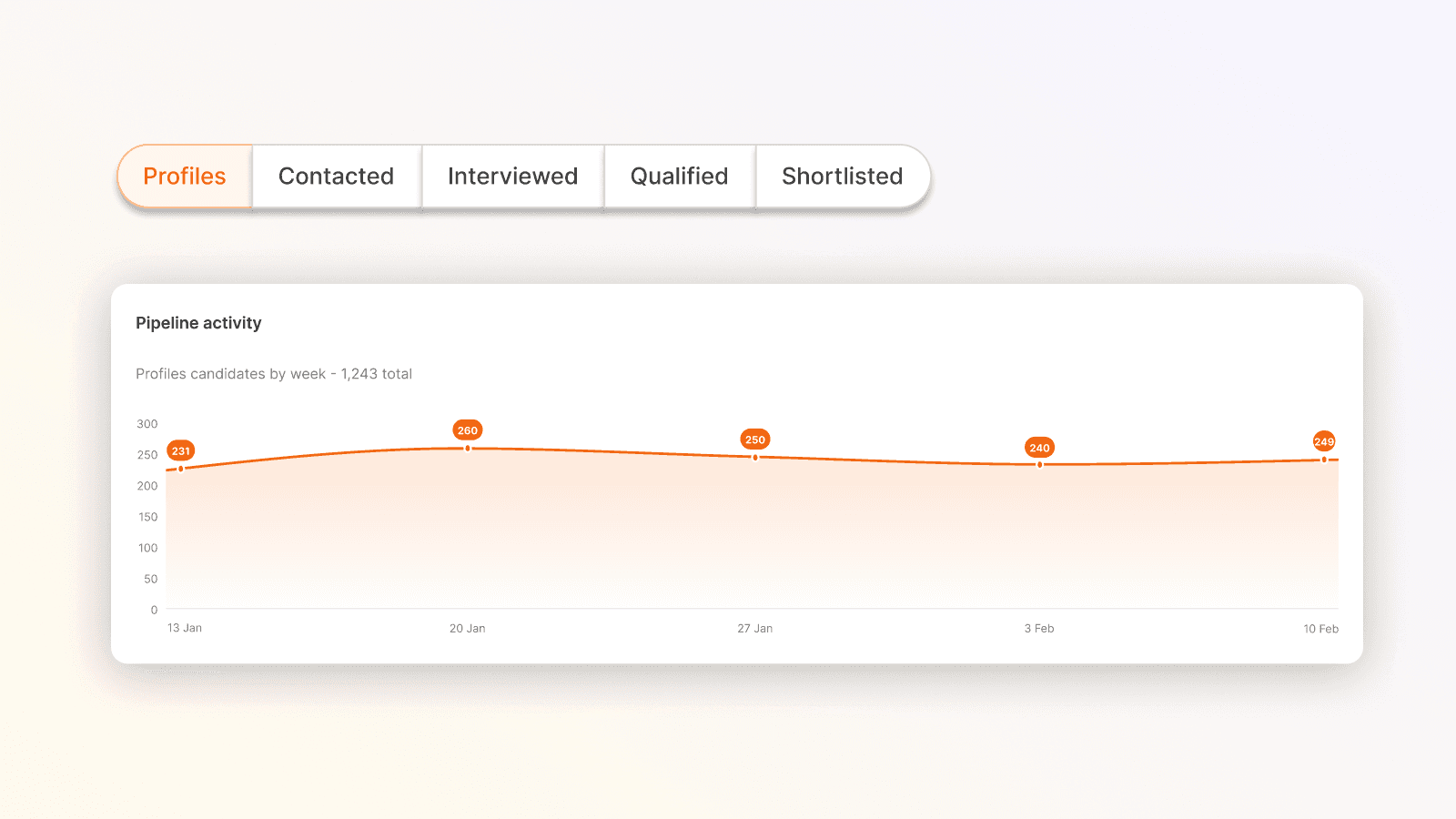
Pipeline activity shows candidate volume over time. Toggle between stages to see whether application volume is converting into interviews or stalling at the top of the funnel.
If you ran a job board campaign last week, this is how you find out whether it moved the needle.
Spot whether candidate quality is shifting
The same design as your pipeline activity, scoring evolution shows the proportion of candidates receiving each classification label over time. Toggle between Outstanding, Great, Good, Fair, Weak, and Poor.
If the Poor rate is climbing, that's an early signal to revisit the job description or sourcing channels before the next batch arrives.
Understand rejection reasons at scale
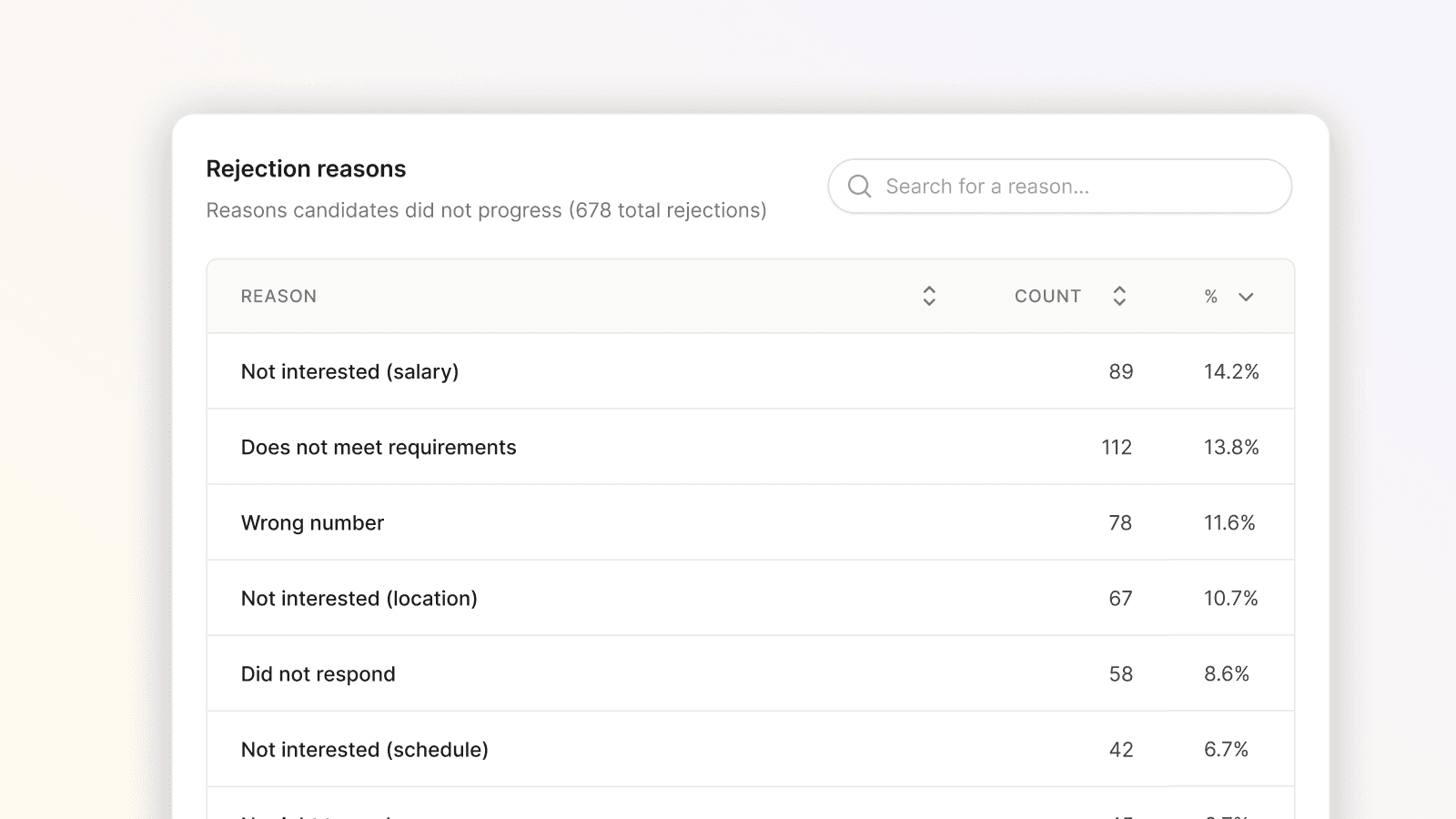
The rejection reasons table shows every reason candidates did not progress, sorted by frequency, with a count and percentage for each.
The top reason tells you what the candidate market actually looks like for this role.
A search bar lets you check a specific reason you have heard about anecdotally. Filtering to a single job narrows it to that role's rejection profile.
What this means for your team
Before this, answering "where is our funnel leaking on the warehouse operative role?" meant pulling data from multiple places and waiting.
Now it's instant.
Recruiters can review pipeline health before a hiring meeting, HR leads can check whether a sourcing change worked, and everyone gets to the relevant candidate list in one click.
The performance dashboard is available to all Clara AI users.
Intelligence
Explore more articles



LEARN MORE
Ready to hire better people, faster?
Clara is fast to set up, and even faster to help you hire. Book a demo to learn more.